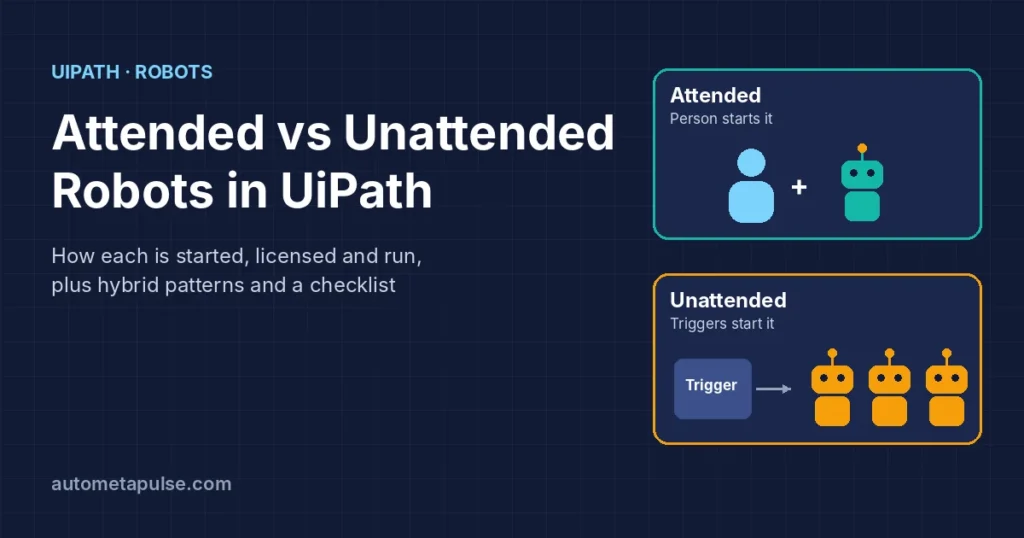
Attended vs unattended robots in UiPath differ in one simple way: an attended robot works alongside a person who starts it and watches it, while an unattended robot runs on its own, started by Orchestrator triggers or schedules. Attended robots suit short, fragmented tasks inside someone’s working day; unattended robots suit high-volume, repetitive batch work that needs no one at the keyboard. Most mature programmes use both.
In this guide
- What attended and unattended automation mean
- How attended robots work
- How unattended robots work
- Side-by-side comparison
- Licensing: what each type needs
- Hybrid patterns: using both together
- How to choose: a decision checklist
- Frequently asked questions
What attended and unattended automation mean
UiPath’s own overview of attended vs unattended automation defines the two this way:
- Attended automations “run under human supervision and, because of this, are best suited for use with smaller, more fragmented tasks.” UiPath’s example is an employee submitting an expense report: the person logs in, and the automation fills in and submits the form for them.
- Unattended automations “are intended for more complex and highly repetitive tasks, usually needing to be performed in batches.” They are also suited to processes that perform privileged operations needing elevated permissions and credentials.
You will also hear older terms for the same idea: front-office automation (attended) and back-office automation (unattended).
The key difference is not the software. The same UiPath Robot is the “execution host that runs processes designed in UiPath Studio,” as the Orchestrator robots page puts it. What changes is who starts the job, whose identity and credentials it uses, and whether a person is present while it runs.
How attended robots work
Attended robots act, in UiPath’s words, as “personal assistants for end-users such as HR personnel or Call Center operators.” In practice, that looks like this:
- The user signs in. UiPath’s attended automations guide says user sign-in is required to run attended automations or view them in UiPath Assistant.
- The user starts the process from UiPath Assistant. Assistant is the desktop client the person uses to find and launch automations. The Orchestrator robots page says attended processes “can only be started from UiPath Assistant or the Command Prompt,” and that you cannot typically start them from Orchestrator. (The exception is developers debugging from a personal workspace.)
- The robot runs as that user. Attended scenarios use the User Mode Robot, which “runs under the user that starts it and has the exact rights as that particular user.”
- The person supplies credentials and watches. Users provide any credentials the process needs during the run.
Two consequences follow, and both matter for design:
- Attended robots cannot run under a locked screen. The person needs to be at an unlocked session.
- Attended automations must not do more than the user could. UiPath’s overview is explicit: because a human is always present, attended automations “must not be created with or granted permissions to perform tasks the user themselves could not.”
Orchestrator still matters for attended robots: it manages which package versions reach each user’s machine, and administrators control access by adding the user’s account to the right folder.
Good attended candidates:
- Copying customer details between two applications during a call.
- Filling a long internal form from data the user already has open.
- Generating a standard document or email from a few inputs.
- Checking a record in several systems before the user makes a decision.
How unattended robots work
Unattended robots are, per UiPath, “autonomous robots that don’t require human supervision to execute jobs.” The unattended automations guide describes Orchestrator’s role: it “enables instant or scheduled execution of unattended tasks through triggers, and it can dynamically assign unattended tasks to available robots.”
The building blocks look like this:
| Building block | What it does |
|---|---|
| Machine template | The recommended Orchestrator machine type for unattended work; it provides the capacity to run jobs. Host machines connect to it with a machine key or client credentials. |
| Unattended runtimes | Licences assigned at the machine template level, taken from the tenant pool. A template needs at least one. |
| Robot or user account | The identity the job runs as. It must be able to log in to every host machine linked to the template in that folder. |
| Folder | Where the admin grants the account access and assigns the machine template. |
| Triggers | Time triggers, queue triggers, event triggers and API triggers start jobs without a person. |
| Service Mode Robot | The recommended robot for unattended and large-scale deployments; the Robot Service runs as Local System and opens interactive Windows sessions. |
UiPath’s guide on how unattended automation is performed adds some practical requirements: the host machine must meet the technical requirements, its screen saver must be disabled, and UiPath recommends non-persistent VDIs. For authentication, UiPath recommends client credentials, which let the robot access Orchestrator with its own credentials instead of impersonating a user.
You also do not have to run your own machines. UiPath offers Cloud Robots – VM (UiPath-hosted Windows machines for unattended work) and serverless robots, which UiPath describes as a way “to run background automation without worrying about the necessary infrastructure.” Check UiPath’s cloud robots page for current machine images and pool options.
Good unattended candidates:
- Processing a queue of invoices, claims or orders overnight.
- Reconciling two systems on a schedule.
- Running month-end reports.
- Back-office work that needs service-account credentials users should not hold.
If your unattended work is transaction-based, our guide to UiPath Orchestrator queues shows how to design it so failures retry cleanly.
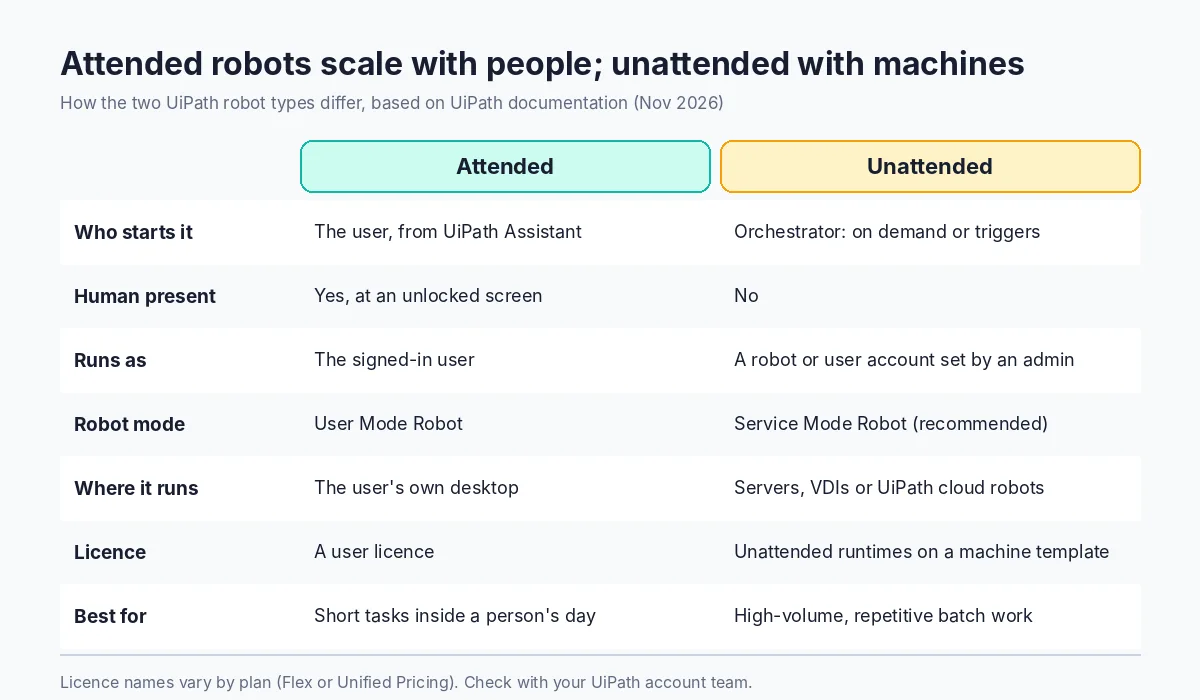
Side-by-side comparison
| Attended | Unattended | |
|---|---|---|
| Who starts it | The user, from UiPath Assistant (or the command line) | Orchestrator: on demand, time, queue, event or API triggers |
| Human present | Yes, at an unlocked session | No |
| Identity | The signed-in user | A robot account or user account set up by an admin |
| Credentials | Provided by the user | Stored and managed centrally (credential stores) |
| Robot mode | User Mode Robot | Service Mode Robot (recommended) |
| Where it runs | The user’s own desktop | Dedicated machines, VDIs or UiPath cloud robots |
| Best for | Short, fragmented tasks inside a person’s work | High-volume, repetitive batch work |
| Typical licence | A user licence (see below) | Unattended runtimes on a machine template |
| Scales by | Adding users | Adding runtimes and machines |
One simple way to remember it: attended robots scale with people; unattended robots scale with machines.
Licensing: what each type needs
Licensing names depend on which UiPath plan you are on, so confirm with your UiPath account team before budgeting. Here is what the official documentation says today.
Attended automation needs user licences. The attended licensing page says: “To execute attended automations, you need to allocate one or more user licenses to your robots,” and lists Attended, Citizen Developer and Automation Developer user licences.
Unattended automation needs runtimes. Runtimes are assigned to machine templates. UiPath’s example: a template with 10 unattended runtimes reserves 10 licences for each machine that uses it, and licences are only used when an unattended automation is actually running.
Two licensing plans exist. UiPath’s commercial licensing plans page says “UiPath offers two licensing plans: Unified Pricing Plan and Flex Plan.” Under Unified Pricing, several consumables are simplified into one Platform Unit, and user licences map to new names:
| Flex plan user licence | Unified Pricing equivalent |
|---|---|
| Attended – Named User | Plus User |
| Citizen Developer – Named User | Plus User |
| Automation Developer – Named User | Pro User |
| Action Center – Named User | Basic User |
We have not listed prices: they depend on your agreement and region.
Hybrid patterns: using both together
The most useful automations often combine both types: the person handles judgement, and the robots handle volume.
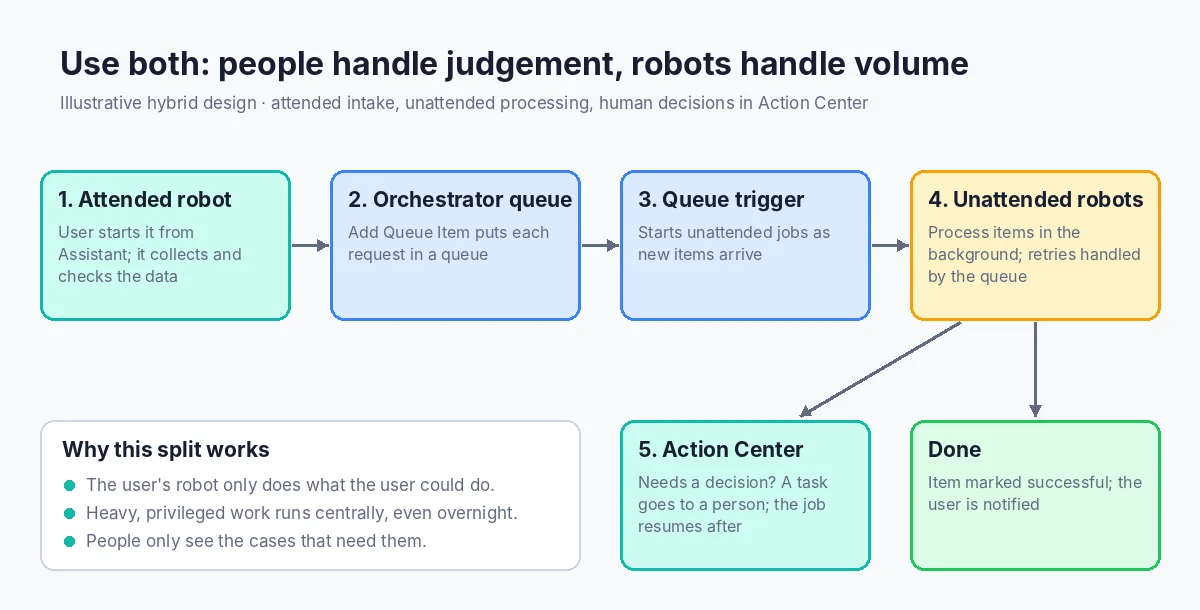
Pattern 1: attended intake, unattended processing. A user’s attended robot collects and checks the data while they are on a call or reviewing an email, then adds it to an Orchestrator queue with the Add Queue Item activity. A queue trigger starts unattended robots, which process the items in the background. The user gets on with their day.
Pattern 2: unattended processing, human decisions. An unattended process does the heavy lifting and pauses when it needs a person. UiPath’s Action Center “enables support for long-running unattended workflows, that require human intervention”: the workflow creates a task (for example with Create Form Task), suspends, and resumes on an available robot after a person completes it. Our guide to human-in-the-loop AI automation covers where to put those review steps.
Pattern 3: business users launch unattended processes. Action Center also lets business users launch unattended processes, so a person can start a job without having the robot run on their desktop.
How to choose: a decision checklist
Ask these questions for each process:
- Does the process need a person’s judgement or input mid-run? If yes, and the input is quick and frequent, attended fits. If the decision can wait, consider unattended plus Action Center.
- Does it run on a person’s screen with their data open? Attended.
- Is the volume high or the work batch-based? Unattended.
- Must it run outside working hours or on a schedule? Unattended. Attended robots cannot run under a locked screen.
- Does it need privileged credentials the user should not hold? Unattended, with credentials managed centrally.
- How many people would trigger it? Many users doing a small task each points to attended; one central workload points to unattended.
An illustrative example (hypothetical business scenario): a finance team where 20 agents each spend a few minutes per call copying data between two screens is a good attended candidate. The same team’s nightly bank-statement matching is a good unattended candidate. A third process, vendor change requests, might use both: attended intake, unattended updates and an Action Center approval for bank detail changes.
If you are designing the unattended side, the REFramework gives you a tested structure for retries and exception handling.
Frequently asked questions
What is the main difference between attended and unattended robots?
Attended robots run on a user’s machine, started by that user and supervised by them. Unattended robots run without a person, started by Orchestrator on demand or through triggers.
Can I start an attended robot from Orchestrator?
Not in normal operation. UiPath says attended processes can only be started from UiPath Assistant or the command prompt; the exception is developers debugging from a personal workspace.
Can an attended robot run while the screen is locked?
No. UiPath states attended robots cannot run under a locked screen. Use unattended automation for work that must run when nobody is signed in.
Which licence do I need for attended automation?
A user licence, such as Attended, Citizen Developer or Automation Developer on the Flex plan. On Unified Pricing, these map to Plus User and Pro User licences.
How are unattended robots licensed?
With unattended runtimes assigned to a machine template in Orchestrator. A runtime is reserved for each machine that uses the template and is consumed while a job runs.
Can one process use both attended and unattended robots?
Yes. A common pattern is attended intake that adds items to an Orchestrator queue, with unattended robots processing the queue in the background.
Do I need my own servers for unattended robots?
No. You can run unattended robots on your own machines or VDIs, or use UiPath’s Cloud Robots – VM and serverless robots for background automation.
Conclusion: match the robot to the work
Choose attended robots when the work happens inside a person’s day and they need to stay in control. Choose unattended robots when the work is high-volume, scheduled or privileged. Then look for processes that need both, because that is often where the biggest gains are. For help mapping your processes, see our UiPath services or contact us.