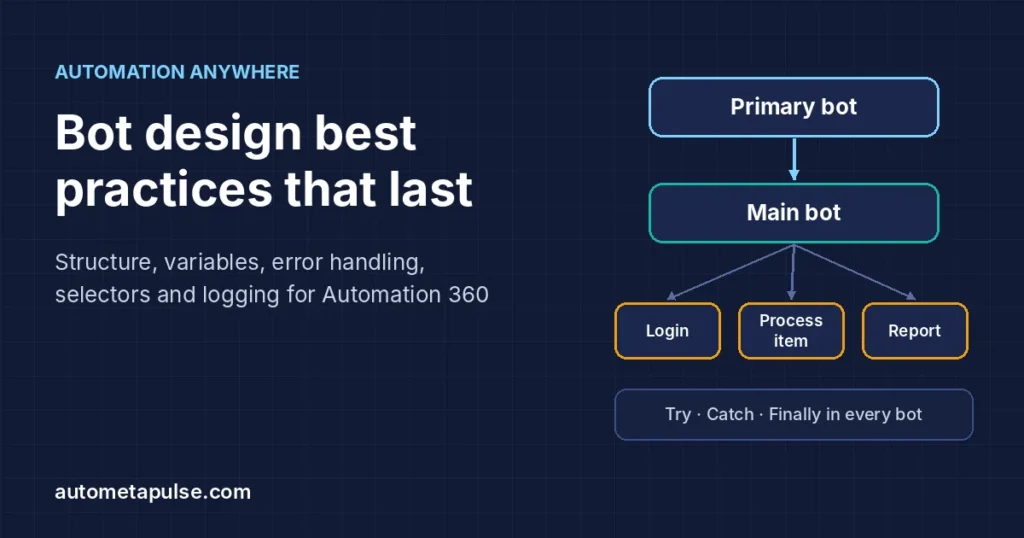
The most useful Automation Anywhere best practices come down to one idea: build small bots with one job each, wire them together through clear input and output variables, and keep everything that changes (credentials, paths, URLs, timings) outside the bot. Add Try/Catch/Finally to every bot, record stable selectors, and log enough to diagnose a failure without re-running it. This guide turns that idea into a practical design checklist for Automation 360.
In this guide
- Why bot maintainability matters
- Structure: the Primary, Main and Sub bot pattern
- Variables, global values and the Credential Vault
- Error handling with Try, Catch and Finally
- Recorder and selector stability
- Naming, Steps and comments
- Logging and testing
- A maintainability checklist
- Frequently asked questions
Why bot maintainability matters
Most automation effort is spent after go-live. Applications get updated, folder paths move, passwords rotate, and a new exception type appears in month three. A bot that was quick to build but hard to read turns each of those changes into a small investigation.
Maintainable bots share a few traits:
- Readable: someone who did not build the bot can follow its logic in a few minutes.
- Configurable: environment-specific values live outside the bot, so moving from development to production does not mean editing actions.
- Resilient: expected failures are caught, applications are closed, and the error is recorded with context.
- Testable: each part can be run on its own with known inputs.
Automation Anywhere’s own developer recommendations for reusable bots cover these same points, and the sections below follow them closely. If you are new to the platform, our Automation Anywhere hub collects the other guides in this series.
Structure: the Primary, Main and Sub bot pattern
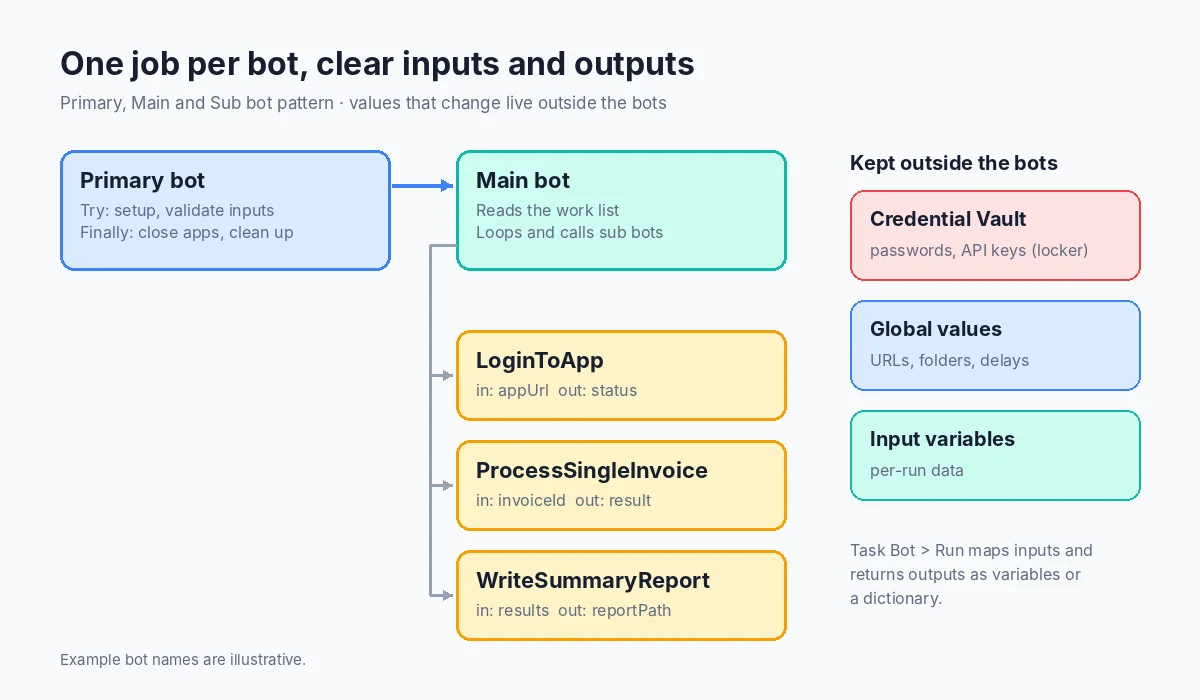
The official recommendations for building reusable bots describe a layered structure and the single-responsibility principle: each bot should do one thing well.
The three layers
| Layer | What it does | Typical contents |
|---|---|---|
| Primary bot | Entry point that the schedule or trigger runs | Setup, input validation, pre-process cleanup in Try; post-process cleanup in Finally |
| Main bot | Orchestrates the process | Reads the work list, loops through items, calls sub bots |
| Sub bots | Do one task each | Log in to an app, process a single transaction, write a report |
A good example from the documentation is a sub bot that processes a single transaction and is called once per transaction. When the bot fails, you know which transaction failed and you can re-run just that one.
Passing data between bots
Bots call each other with the Run action in the Task Bot package, which also has Pause and Stop actions. Data moves through variables that are marked in the child bot:
- Use as input: the child accepts a value from the parent.
- Use as output: the child passes a value back.
- Both, or Neither for variables that stay private to the bot.
In the parent, the Run action maps values to the child’s inputs (“Quick map” matches variables with the same name and type) and saves outputs either to separate variables or to a single dictionary, where each key is the child’s variable name. A few constraints from the documentation are worth designing around:
- Parent and child bots must be in the same workspace; a private bot cannot call a public bot directly.
- Parent and child should use the same package versions.
- CSV/text and Recorder sessions cannot be shared between bots, while Excel sessions can be shared through a session variable.
Treat a sub bot’s input and output variables like a function signature. Give each a meaningful description, keep the list short, and avoid changing it once other bots depend on it.
Variables, global values and the Credential Vault
Hard-coded values are the most common reason a bot breaks when it moves between machines or environments.
Use variables for anything that can change
The documentation recommends variables for file paths, network shares and window titles, and wildcards in window titles so a bot survives small title changes (for example, a title pattern ending in - *). This lets the same bot run on another Bot Runner without edits.
Use global values for environment settings
Global values are configured in the Control Room by a user with the AAE_Admin role or the “View and manage global values” permission. They support DateTime, Number, String, Boolean and User group types and can be inserted in any action field that accepts a user-created variable. Good candidates, as suggested in Automation Anywhere’s community standards guide, are delay times, application URLs and root folder paths.
Keep secrets in the Credential Vault
Credentials belong in the Credential Vault, never in a bot or a text file. Credentials hold sensitive data as attributes, lockers control which users can view, modify or use them, and a credential must be assigned to a locker before a bot can use it. The vault’s purpose is that sensitive values are not stored in bots or on devices.
| Value | Where it should live | Why |
|---|---|---|
| Passwords, API keys, tokens | Credential Vault (in a locker) | Access control; nothing secret inside the bot |
| URLs, root folders, delays | Global values | Change once per environment, not per bot |
| Per-run data (invoice ID, file name) | Input variables | Makes the bot reusable and testable |
| Temporary working values | Local variables (“Neither”) | Keeps the bot’s interface clean |
Error handling with Try, Catch and Finally
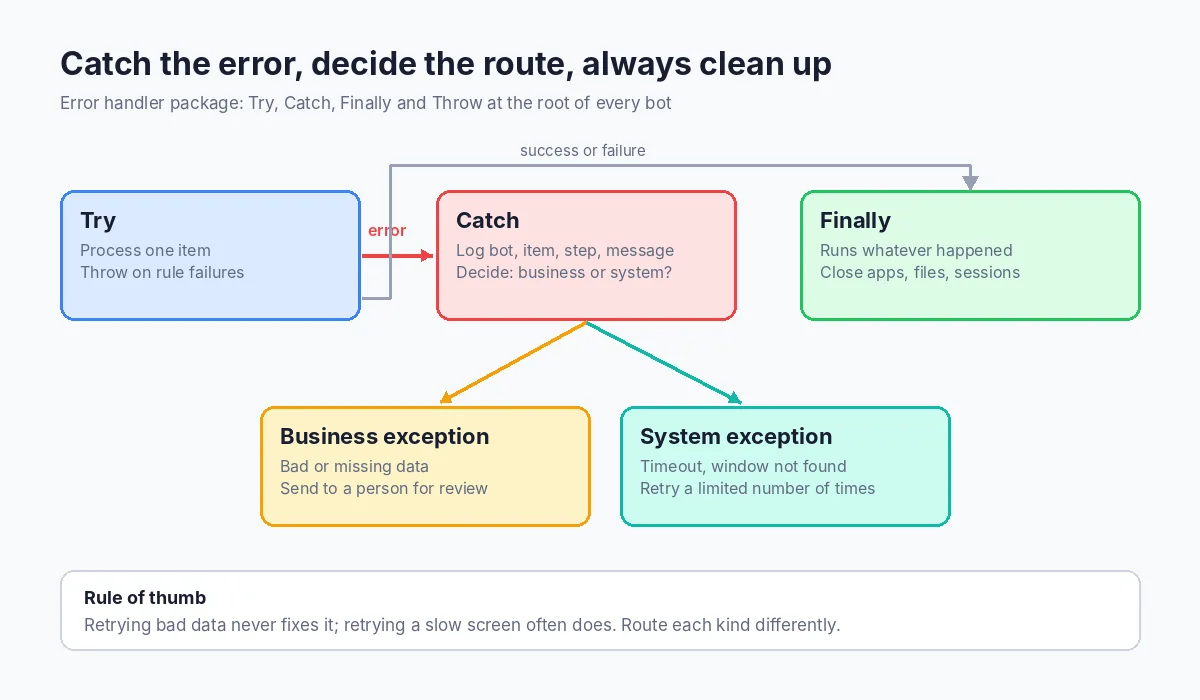
The Error handler package provides Try, Catch, Finally and Throw actions. Try holds the work, Catch holds what to do when an exception occurs, and Finally runs regardless of the outcome. Exceptions can be handled by the parent bot or any child bot; if neither handles them, execution fails.
Practical rules drawn from the official recommendations:
- Put Try/Catch/Finally at the root level of every bot. Each task should handle its own errors rather than relying on a distant parent.
- Close what you open in Finally. Applications, files, windows and sessions should be closed whether the run succeeded or not, so the next run starts clean.
- Throw meaningful errors. When a business rule fails (a missing PO number, an amount outside tolerance), use Throw with a message that says what was wrong and for which item.
- Separate business and system problems. A business exception (bad data) usually needs a person to review it; a system exception (timeout, window not found) may succeed on retry. Handling them differently avoids pointless retries and missed reviews. Our guide to human-in-the-loop automation covers where those reviews fit.
- No message boxes or prompts in unattended bots, and make sure every loop has a definite end.
Recorder and selector stability
Screen interactions are where many bots break after an application update. Automation Anywhere’s Recorder best practices include:
- Record with display scaling at 100% and browser zoom at 100% in Chrome and Edge, and keep the recording and execution environments the same.
- Prefer unique, stable properties such as an element ID; for web apps include DOMXPath, and use DOMXPath and CSS selectors for web automation.
- Run the capture repeatedly to see which properties stay the same. Values that mix text and numbers are often dynamic, so replace the changing part with a wildcard (for example,
Invoice - *). - Wrap Recorder actions in retry, wait or fallback logic instead of fixed delays.
- Test with different data, environments and user accounts, and restart the application to confirm selectors still work.
- In unattended runs, physical actions such as clicks can fail if the application does not render as expected, so prefer suitable “soft” actions where available.
For waits, the Wait package’s Wait for screen change action can watch a window or screen region, with a timeout and an option to throw an exception if nothing changes. Waiting for a real condition is more reliable than a fixed pause that is either too short on a slow day or wastes time on a fast one.
Naming, Steps and comments
Readable bots are mostly a matter of discipline. Automation Anywhere’s community guide to establishing standards recommends:
- Bot names in PascalCase, short, without underscores or spaces (for example,
ProcessSingleInvoice). - Variables in camelCase, with no single-character names.
- Unique, meaningful session names instead of “Default”, and closing every session you open.
- Step actions used liberally, each with a short, meaningful title rather than “Step 1”.
- Comments that explain logic, assumptions and known issues.
A helpful habit from the official guidance: before building, create an outline of the bot with empty, labeled Step actions. The outline becomes the documentation, and reviewers can see the design before any logic exists. Agree on these conventions once as a team and write them down; consistency matters more than the specific style you pick.
Logging and testing
Log for the person who will debug it
The official recommendations call for logging errors and considering audit and performance logs. In Automation 360 you can write log lines with the Log To File package (shown as the Logging package in newer release notes). A useful log line answers four questions: which bot, which item, what step, and what happened. Log the transaction ID and outcome for each item; never log credential values or personal data you do not need.
Test each piece on its own
Because sub bots have defined inputs and outputs, you can test them independently, which the documentation encourages. A simple approach:
- Keep a small set of test inputs per sub bot, including at least one bad record.
- Run the sub bot directly with those inputs and check its outputs.
- Run the full process end to end in a test environment that uses its own global values.
- Re-test selectors after every application update.
A maintainability checklist
Use this before any bot moves to production:
- One responsibility per bot; Primary, Main and Sub layers are clear
- Input and output variables described; no unused variables
- No hard-coded paths, URLs, window titles or credentials
- Credentials come from a Credential Vault locker
- Try/Catch/Finally at the root of every bot; apps and sessions closed in Finally
- Business and system exceptions handled differently
- Selectors use stable properties and wildcards; waits instead of fixed delays
- PascalCase bot names, camelCase variables, titled Steps, comments
- Log lines include bot, item, step and outcome
- Each sub bot tested on its own, including a failure case
If you want a second pair of eyes on an existing bot estate, our automation services include design reviews.
Frequently asked questions
What are the most important Automation Anywhere best practices?
Single-responsibility bots, no hard-coded values, credentials in the Credential Vault, Try/Catch/Finally in every bot, stable selectors and clear logging. These cover most maintenance problems.
How should I pass data between a parent and child bot?
Mark the child’s variables as “Use as input” or “Use as output”, then use the Task Bot Run action in the parent to map inputs and save outputs to variables or a dictionary.
Should every bot have its own error handling?
Yes. Automation Anywhere recommends Try/Catch/Finally at the root level of every bot so each task handles its own errors and cleans up in Finally.
Where should I store passwords and API keys?
In the Control Room Credential Vault, assigned to a locker. Never store them in variables with default values, files or comments.
What are global values used for?
Settings that differ by environment, such as URLs, root folders and delay times. They are managed in the Control Room, so you change them once instead of editing every bot.
How do I make recorded actions less fragile?
Record at 100% scaling and zoom, use stable properties such as IDs and DOMXPath, replace dynamic parts with wildcards, and wait for conditions rather than fixed delays.
What naming convention should I use?
A common standard is PascalCase for bot names and camelCase for variables, with meaningful Step titles. Whatever you choose, document it and apply it consistently.
Conclusion: design for the person who maintains it next
Maintainable Automation Anywhere bots are not harder to build; they are built in a different order. Outline with Steps, split the work into small bots with clear inputs and outputs, move every changeable value to global values or the Credential Vault, and wrap each bot in Try/Catch/Finally with useful logs. The payoff shows up months later, when an application changes and the fix takes minutes instead of days.
If you are planning a new Automation Anywhere process or untangling an existing one, we can help you review the design.
Discuss your automation workflow →